| Readme: | Short: ToDo List
Author: Gero Birkenfeld
Uploader: ibatch web de
Type: util/misc
Version: 1.0.1
Architecture: MorphOS
--------------------------------------------------------------------------------------------------
What is it?
--------------------------------------------------------------------------------------------------
Ticklish is a simple ToDo List tool. Including subitems/steps and notes for each ToDo item. Due
Dates and moving items from on to another list ist also supported.
It is aimed to run on different architectures (OS4, Windows, Android, OS3, MorphOS, Linux).
MorphOS Version included. Amiga OSx and Windows Versions can be downloaded from aminet.net.
On amigans.net you will find an archive including untested platforms as well.
https://www.amigans.net/modules/newbb/viewtopic.php?topic_id=9951
For future Versions, I am looking at "online storage" for lists as well.
--------------------------------------------------------------------------------------------------
BUG REPORTING !!!!!!
--------------------------------------------------------------------------------------------------
Please test this Software intensively!!! I did quiet a bit of testing, but as this is a
multi OS Software, I cannot guarantee, that this one is bug free. So PLEASE, send bug reports and
feedback either via above linked thread on amigans.net or via E-Mail to above mentioned
web.de mail. Thankyou :-)
--------------------------------------------------------------------------------------------------
Setup:
--------------------------------------------------------------------------------------------------
Unpack directory to you harddisk and start executable.
--------------------------------------------------------------------------------------------------
Usage
--------------------------------------------------------------------------------------------------
First "Lists" Page:
-------------
"New list" => creates an empty Todo list, and asks for a name
"Del list" => Selected lists will be deleted
"Today" => will load "today list", which holds a copy of all items due today (+/- x days, as
defined in ticklish.ini)
"On hold" => a special ToDo list, for "parking" items from other lists.
"listview" => lists all available lists, just click an entry, and it will be loaded. Current list
will be saved beforehand
Second "Tasks" Page:
----------------
Yellow area shows the currently loaded list (also shown as window title)
First textgadget: enter Item/Task
Second textgadget: enter due date or leave blank => press enter or "Add"
If you select a list entry/task you can edit/change it via the textgadgets => presse enter or
"Add" afterwards in order to update "Rubber Icon" will empty both textgadgets, and you are ready
to enter some more items "Del" will delete selected Task/Item "Back/green Arrow" will move the
selected item/task including steps and notes to another list...
--> in the upcoming requester you can either copy it on your "Today list", move/put it "On hold",
or choose any other todolist from listview
Third "Details" Page:
----------------
The yellow area shows selected task/item
below you can enter notes for your selected task/item....
below that you have textgadgets and a listview in order to add further steps (subitems) to your
selected task/item
config file (ticklish.ini)
-----------------
* define wether your "today list" should also display items due from the past and future)
* define column width for item description column
--------------------------------------------------------------------------------------------------
Future
--------------------------------------------------------------------------------------------------
1. tested Versions for Linux, OS3,...
2. Save/Sync Lists online
3.Version for Android*
|


 Ambient (149)
 TickLish_1.0.1-RC2.lha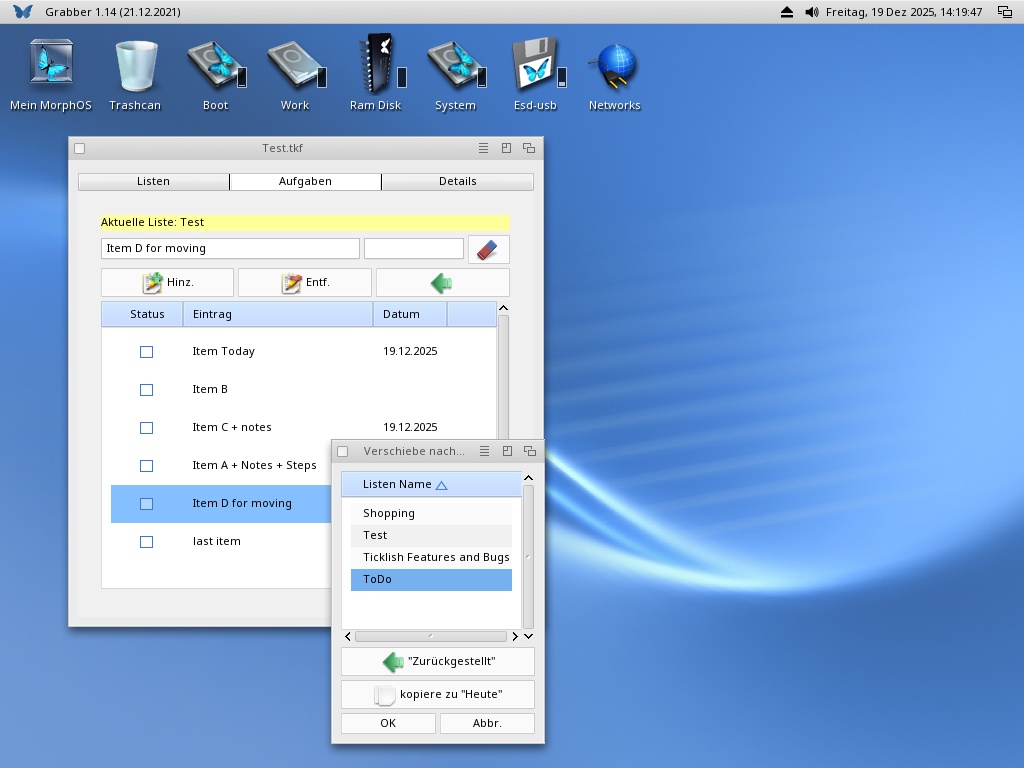
14:31
20:54
10:58