| Readme: | Short: MiniPage - Markdown, Gemini and simple HTML reader
Author: Yannick Buchy
Type: comm/www
Version: 0.5
Architecture: ppc-morphos
Requires: MorphOS 3.20+
============================================================================
MINIPAGE - Markdown, Gemini and simple HTML reader
Version 0.5
============================================================================
WHAT IT IS
----------
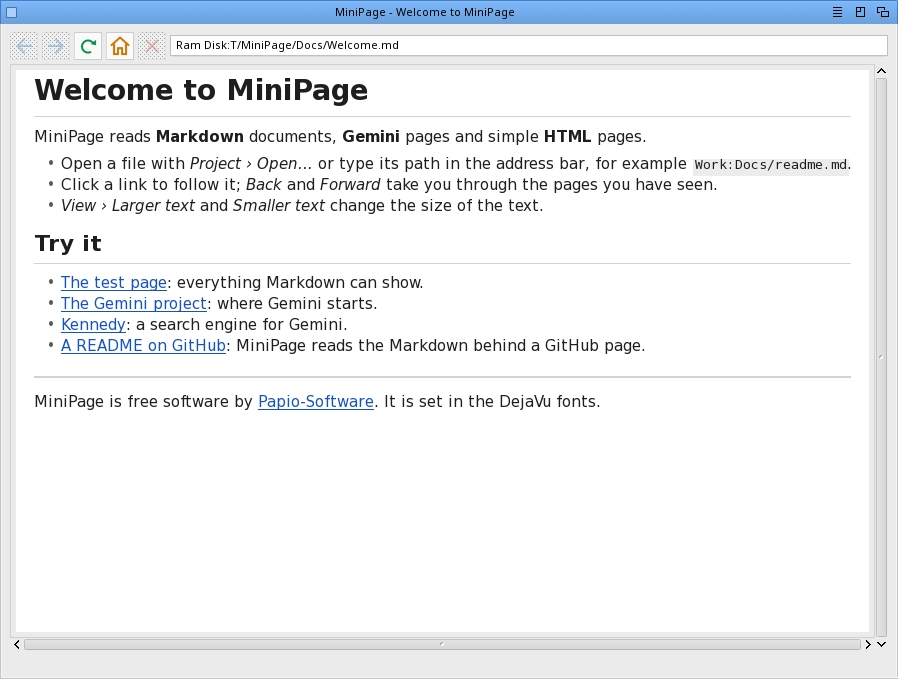
MiniPage reads documents made of text: Markdown files (the README.md of
every project), Gemini pages, and plain HTML pages such as documentation,
blogs or Wikipedia articles. It shows them with real fonts, headings, lists,
tables, quotes, code blocks and pictures, and follows their links. HTML
pages keep their own layout: columns, sidebars, colours and boxes as the
site designed them.
It is not a web browser for web applications: it runs no JavaScript and
keeps no login. For those, use Wayfarer.
MiniPage is free.
OPENING A PAGE
--------------
- Project -> Open... picks a file: .md, .gmi, .txt, .html.
- The address bar takes a file (Work:Docs/readme.md), a gemini:// or
https:// address, or just a name: www.something opens on the web,
any other name on Gemini.
- Give MiniPage as the default tool of a .md icon, and a double-click
opens it.
- A github.com address shows the project's README, not the web page
around it.
READING
-------
- Click a link to follow it. Back and Forward go through the pages you
have seen; each one comes back where you left it.
- The mouse wheel, the arrow keys, Page Up/Down, Space, Home and End
move through the page.
- Drag over the text to select it; Edit -> Copy puts it on the clipboard,
Edit -> Select All takes the whole page.
- View -> Larger text / Smaller text change the size of the text. MiniPage
remembers it.
- Settings -> Use this page as home makes the page you are reading the
start page.
GEMINI
------
Gemini is a small internet of text pages, without adverts or tracking.
Start with gemini://geminiprotocol.net/ or search it from
gemini://kennedy.gemi.dev/.
The first time MiniPage visits a Gemini site, it remembers its
certificate, as every Gemini browser does. If that certificate changes
later, MiniPage asks before going on: sites renew their certificates,
but a change can also mean someone stands in the way.
When a Gemini page asks a question (a search, for instance), a small
window lets you type the answer.
FORMS
-----
Search boxes and simple forms work: click a field to type in it, tick the
boxes, pick from the lists, then press Return or the button to send.
Forms that need you to be logged in do not.
PICTURES
--------
PNG, JPEG, GIF and the other formats Reggae knows are shown in the page,
reduced to its width when they are larger. A picture MiniPage cannot read
(SVG, for instance) shows its description in a frame instead.
FILES
-----
MiniPage keeps everything in its own drawer:
MiniPage.prefs text size and start page
MiniPage.hosts the Gemini certificates it has met
It comes with the DejaVu fonts (Bitstream Vera licence) in Fonts/.
HISTORY
-------
0.5 (26.10.2026)
- HTML pages are laid out as their site designed them.
- Search boxes and forms can be filled in and sent.
- Pages download faster, compressed when the site allows it.
- Fixed: after a few dozen pages, sites could no longer be reached.
0.4 (04.10.2026)
- First version.
|


 Ambient (150)
 MiniPage_0.5.lha